Editing workflow
The first cut is where an evening disappears
Sorting takes, trimming repetition and choosing a useful opening: a practical workflow for asking AI to help without flattening the story.


A folder of footage can be surprisingly heavy without containing a single complicated shot. Twelve takes of the same sentence. A good answer buried in a longer conversation. Three almost-identical close-ups. The hard part is often deciding what deserves to survive the first pass.
That is the problem described in two editing discussions: one creator spends much of the edit trimming and rewatching; another has hours of instructional footage and projects that remain half finished. These are individual experiences, not a measured average, but they point to a recognisable bottleneck. [1] [2]
If this sounds familiar, adding faster transitions will not solve it. You need a way to reduce the number of decisions in front of you while keeping the decisions that make the video worth watching.
Stop mixing three different passes
The assembly pass answers: what usable material do we have? The story pass answers: what order makes sense, and what can go? The polish pass answers: how should the final piece sound and look? Moving between all three every few minutes makes an edit feel endless.
For an interview, start by collecting complete thoughts. Do not spend ten minutes animating a word in a sentence you may remove. For a product demo, get the explanation and screen sequence right before adding decorative movement. For a tutorial, keep the steps that a viewer needs to follow, even if the shortest possible cut would remove them.
Put the intended audience and outcome in writing. “A one-minute introduction for someone who has never seen the product” is a usable constraint. “Make it awesome” is not. The first lets you judge whether a shot belongs. The second invites another round of effects without a clear stopping point.
Give AI an editorial brief it can follow
Natural-language editing is a serious research direction. ExpressEdit studied how text and sketches can help people express edit intentions, then built a prototype that interpreted them into edits. The paper supports exploring this interaction; it does not prove that every AI editor is equally reliable or faster on every project. [3]
An effective brief names the source material, audience, target length, required moments and things to preserve. If there are factual claims, names or prices, tell the AI not to invent or rewrite them. If natural pauses matter to the performance, say so. Otherwise a system optimising for speed may cut away the very beat that makes a line land.
Use the interview clips in this project to assemble a 60-second introduction for a first-time viewer. Open with the clearest explanation of the problem. Keep the product name and the speaker’s exact factual claims. Remove repeated takes and long dead pauses, but preserve complete sentences and natural breaths. Show me the plan before editing. Keep titles, captions and music on separate editable tracks.
That prompt still needs your judgement. Watch the assembly without looking at the timeline. Does the opening make sense to someone who was not in the room? Is a short sentence missing its setup? Has the AI used a confident-sounding answer that was actually a joke? These are story questions, not export settings.
A transcript helps, but it does not see everything
Transcript-based workflows are already available in established editors such as Premiere. [4] They are especially useful when the footage is driven by speech: interviews, lectures, screen demonstrations with narration and podcasts. Finding a repeated line in text can be easier than listening to every take again.
But a transcript cannot tell you everything about a silent product shot, a reaction or a physical demonstration. A woodworking instruction may need the moment the tool touches the material even if nobody speaks. A joke may need the listener’s reaction. Check the frames around every important cut, not just the words that survived.
For material with little dialogue, organise by visual action instead: the wide view, the detail, the result. Mark the shots that prove the point. AI suggestions are useful when they return something you can examine; a mysterious finished movie is harder to repair.

How to try this in Bhippi
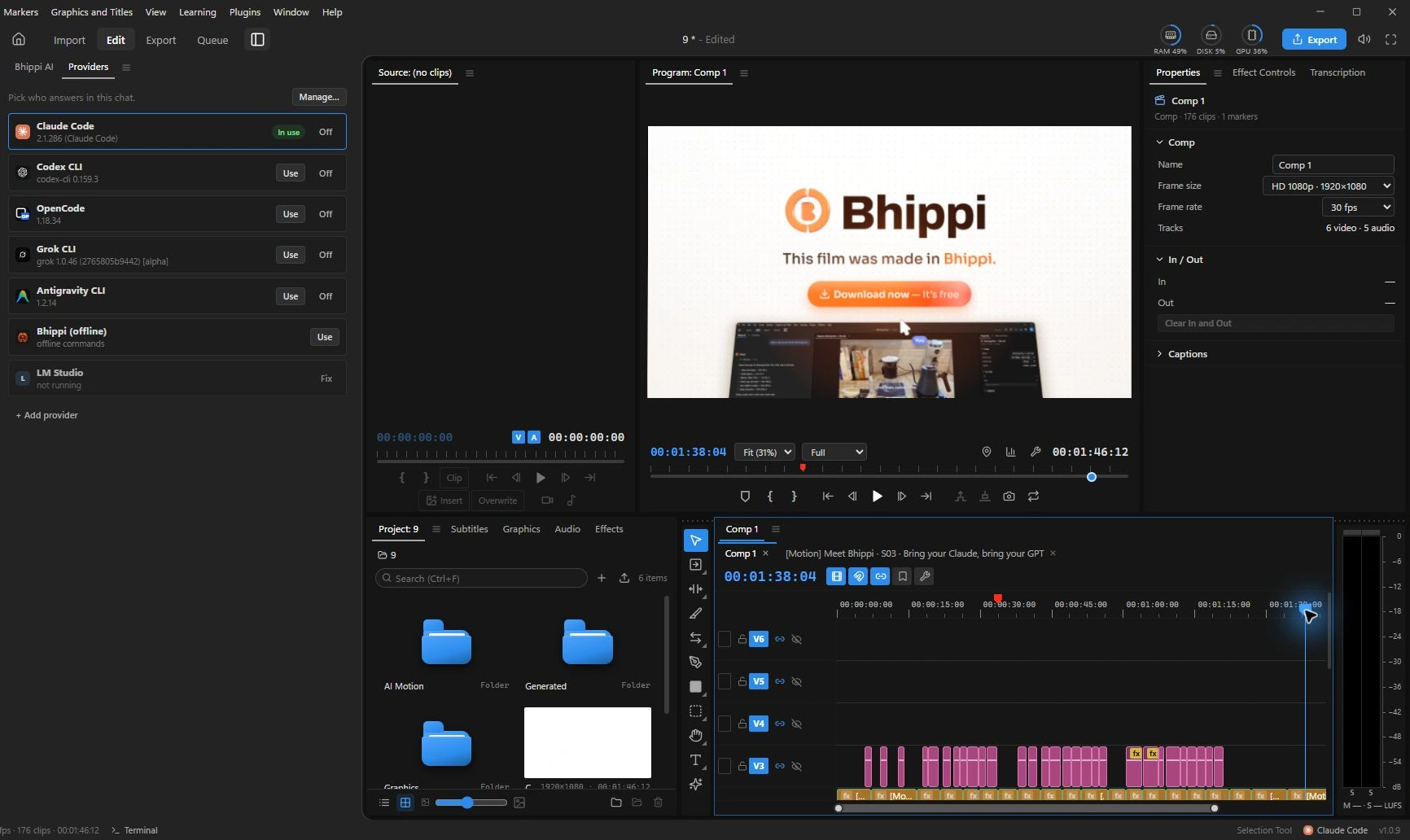
Bhippi separates planning, gathering, editing and polishing. Start with a small project and ask for a plan. Review which footage the AI intends to use before moving into the edit. The result is built through timeline tools, so you can inspect clips, change timing and undo edits.
Do the first review before adding extra material. If your own footage already tells the story, another generated shot may add setup time and distract from the point. Get the sequence working with what you have. Add a graphic only where it explains something the footage does not.
When the structure is right, move to captions, levels and titles. Ask for a focused change such as shortening one pause or moving one title. A small revision should have a small scope; there is no need to restart the entire film whenever you dislike a sentence.
Measure the whole job
If you want to know whether AI helped, record the time spent preparing, waiting, reviewing and fixing. Generation time by itself is a poor measure. A first pass that arrives quickly but needs extensive repair may be slower than a careful manual assembly.
- Choose one representative clip or interview, not your largest project.
- Set the audience and target length before the first prompt.
- Review the structure with effects hidden or ignored.
- Keep the original project and save a version before major revisions.
- Finish with one exported file and one correction to that file.
Some projects will suit this workflow better than others. That is normal. The useful result is not an exaggerated promise that every ten-hour edit becomes ten minutes. It is knowing which repetitive work you can hand over and which decisions deserve your attention.
Bhippi is free during early access, with free tester keys that let you keep the software free for life when you claim your key and download now. Connect your AI providers, account for any separate usage costs, and try a first cut on something small enough to review properly.
Keep a reason for each important choice
A rough cut is easier to revise when you can explain its structure in a few sentences. Write down why the opening belongs first, which answer carries the central point, and what the viewer should understand before the closing card. Those notes help you distinguish a weak story choice from a small timing problem.
For example, a slow opening may not need faster transitions. It may need the useful answer moved earlier. A confusing cutaway may not need an effect. It may simply show something different from what the speaker is describing. Ask the assistant for a specific structural change, then review that change in the context of the whole minute.
Keep one version before making a substantial rearrangement. After the change, listen to the spoken joins without watching the screen, then watch the visual sequence without sound. Each pass reveals different problems. The point of an assisted first cut is to give you a workable starting point for those decisions.
FOLLOW THE EVIDENCE
Sources & notes
Checked October 1, 2026. Community posts describe individual experiences, not a representative survey. Vendor policies and pricing can change. Workflow examples are illustrative; these articles do not present a hands-on comparative benchmark. Bhippi publishes this blog and makes the editor discussed here.
- VideoEditing community: decreasing editing time Community discussion
The author describes spending time trimming and rewatching footage.
- VideoEditing community: editing down hours of footage Community discussion
A creator describes unfinished instructional edits from hours of source clips.
- ExpressEdit: natural language and sketching for video editing Research paper · 2024
A research prototype and small observational study, not a benchmark of Bhippi.
- Adobe: transcribe videos using Text-Based Editing Official documentation
An established editor also provides transcript-based workflows.